
Best URL Shorteners for Marketing Campaigns in 2026
August 15, 2026•4,238 words

Best URL Shorteners for Marketing 2026: How to Pick One That Actually Works
A practical, no-fluff comparison for marketers who actually have to pick one.
Every campaign you run eventually comes down to a link. The email footer, the Instagram bio, the QR code on a flyer, the SMS blast, the paid ad. Somewhere in that chain sits a URL, and more often than not, it's a mile long, stuffed with tracking codes, and about as trustworthy looking as a chain email from 2004.
That's the small, unglamorous problem a URL shortener solves. But solving it well in 2026 means more than just trimming characters. The best tools now double as mini analytics platforms, brand assets, and sometimes even lead generation tools for performance marketing teams.
This guide walks through what actually matters when you're picking one for marketing work, not personal use. We'll cover the features worth paying attention to, how shortened links affect things like brand trust and campaign tracking, and we'll line up five well known best URL Shorteners names in the space, Trimlink, TinyURL, Bitly, Rebrandly, and Sniply, side by side so you can see where each one earns its keep.
Nothing here is a sales pitch dressed up as advice. It's closer to what a colleague would tell you if you pulled up a chair and asked, "so which one should I actually use?"
What is a URL Shortener and Why it is require for marketing growth?
A URL shortener takes a long, clunky web address and turns it into a short one that redirects to the same place. That's the whole mechanic. Paste in a link, get back something like trml.in/x7p9, and when someone clicks it, they land exactly where the original link pointed.
The "why" is where it gets interesting for marketing.
A long URL isn't just ugly. It eats into character limits on social media, looks suspicious in a text message, and tells you nothing about what happened after someone clicked it. A branded short link fixes all three problems at once. It looks cleaner, fits everywhere from a business card to a social post, and depending on the tool, can tell you exactly who clicked, when, from where, and on what device.
That last part is the real growth angle. Marketing budgets get judged on results, and you can't improve what you can't measure. Once your links are trackable, you start seeing which channel is actually pulling weight, whether your Tuesday email beats your Thursday one, and whether that influencer post was worth the invoice. A good link shortener turns a plain hyperlink into a small data source, and for a growing brand, that's worth more than the few characters it saves.
What features do you prioritize when selecting a URL shortener for your campaign?
Not every campaign needs the same toolkit. A one-off social post and a six-month product launch have very different requirements. But a handful of features come up again and again once marketers start comparing tools seriously.
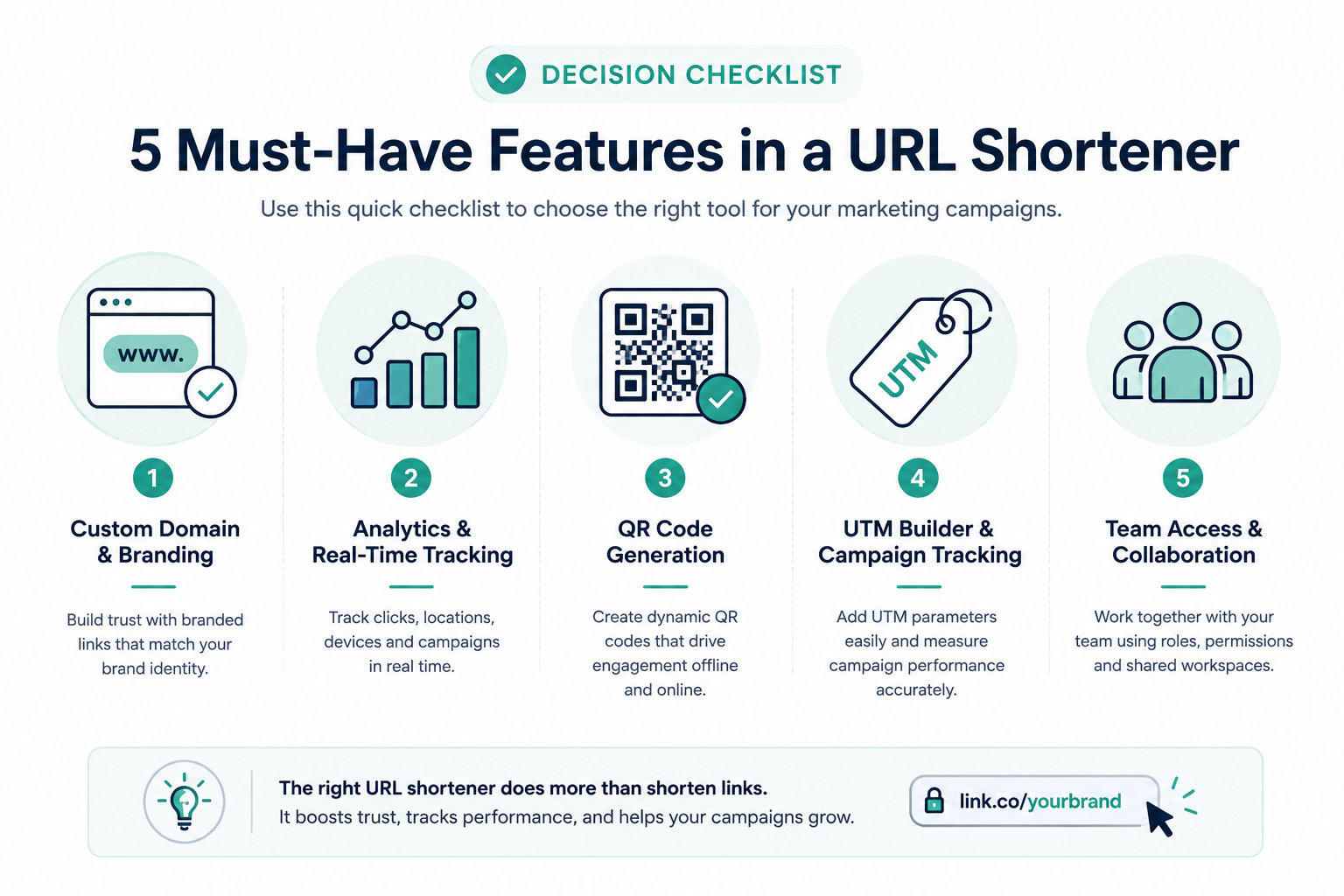
Custom branded domains usually top the list. A link that reads go.yourbrand.com feels safer to click than a random string on someone else's domain, and it keeps your brand visible even in the two seconds before someone lands on the page.
Click analytics matter just as much, and a raw click count alone doesn't cut it. Location, device type, referral source, and time of click all help you understand who's actually engaging, not just how many times a link got tapped.
UTM tracking deserves its own mention. If you run campaigns across email, social, and paid ads at the same time, tagging each link lets you see which channel is doing the heavy lifting instead of guessing.
Beyond that, look at practical things: bulk link creation if you manage dozens of URLs at once, a QR code generator for anything that bridges print and digital, and some form of team access so more than one person can manage links without sharing a single login.
How do URL shorteners help you maintain brand consistency across platforms?
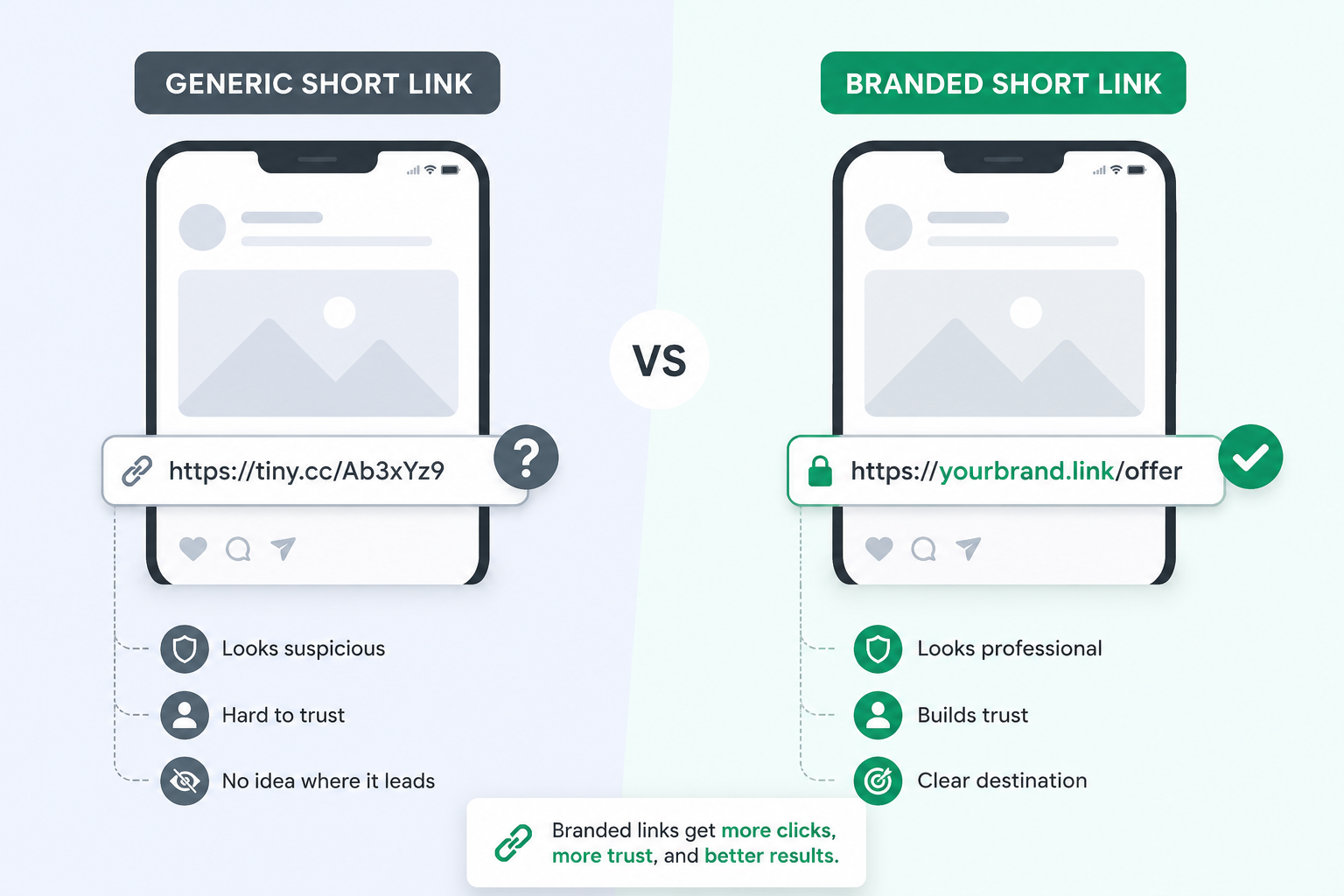
Picture two links landing in the same inbox. One reads a random string on a shared domain. The other reads go.acmehq.com/spring-sale. Which one feels like it's actually from Acme?
That's brand consistency in a nutshell. A generic shorten link is anonymous, and plenty of phishing attempts exploit exactly that anonymity, which is part of why cautious users hesitate to click them. A branded domain removes the guesswork. People see your name before they even click, and that small bit of familiarity carries across every channel you use, whether it's an email footer, a social bio, a printed flyer, or a QR code on a product box.
The consistency runs the other way too. Once your links carry your own domain, every touchpoint reinforces the same identity instead of routing through somebody else's branding. Over dozens of campaigns, that repetition is what actually builds recognition. Nobody remembers a random string of characters, but a clean, on-brand link is far easier to notice and recall the next time it shows up in someone's feed.
How has a URL shortener changed the way you track your marketing performance?
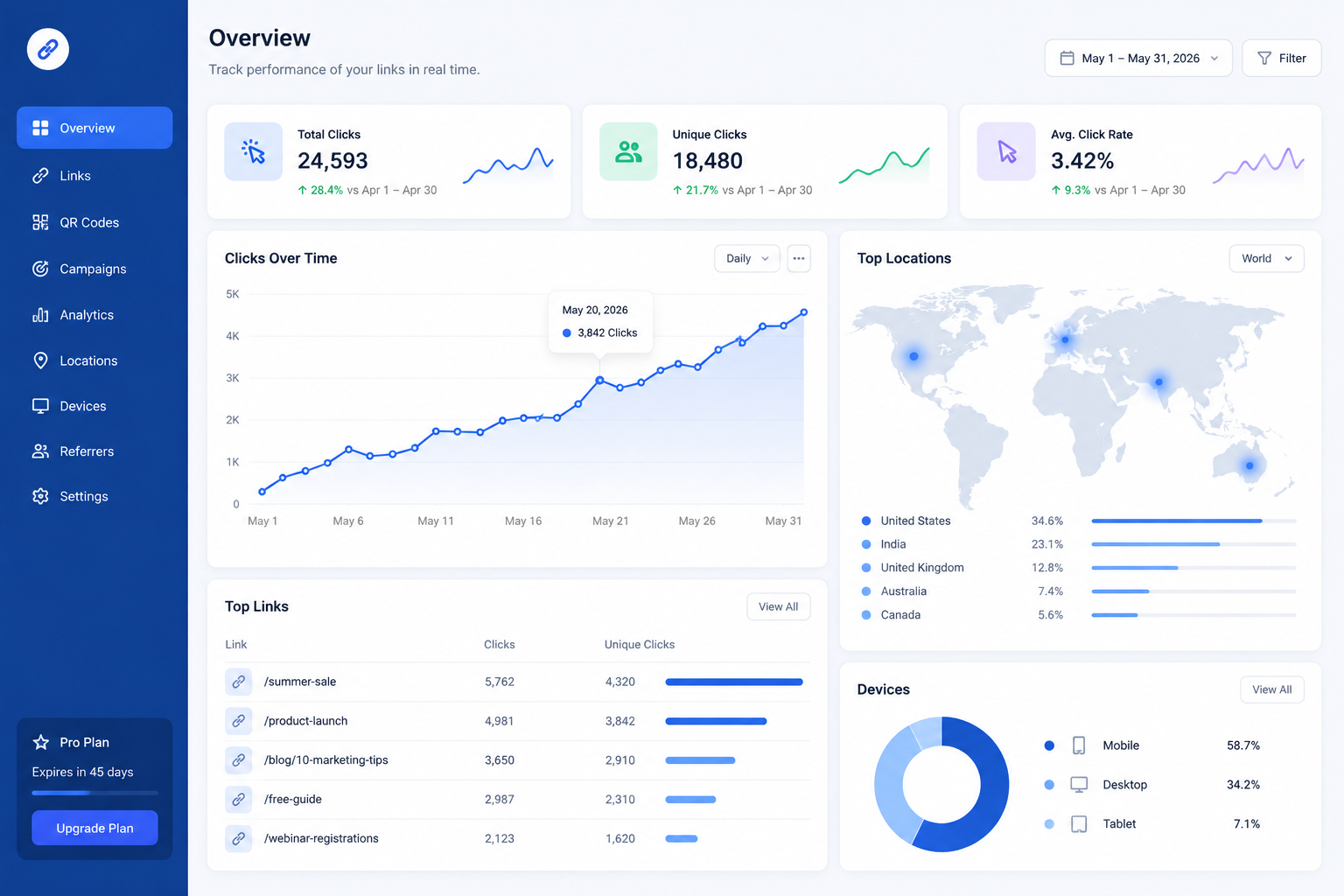
Before link tracking, a lot of marketing ran on guesswork. You'd post something, get a vague sense of whether it "did well," and move on without ever knowing which specific link, channel, or subject line actually pulled the traffic.
A modern link shortener changes that by turning every click into a data point. Instead of one big number for "traffic," you get a breakdown by referral source, so you can see if visitors came from your email, your social bio, or a partner's newsletter. Add UTM tags on top and referral tracking gets specific enough to separate results down to the individual ad set or send.
Real time tracking pushes this further. Instead of waiting for a weekly report, you can watch clicks arrive as a campaign goes live, which matters most in the first hour after a launch or a time-sensitive offer. If something is clearly under performing, you find out while there's still time to adjust the copy or the audience, not two weeks later when the report finally lands in your inbox.
Which key feature do you think has the most impact on customer engagement in a marketing campaign?
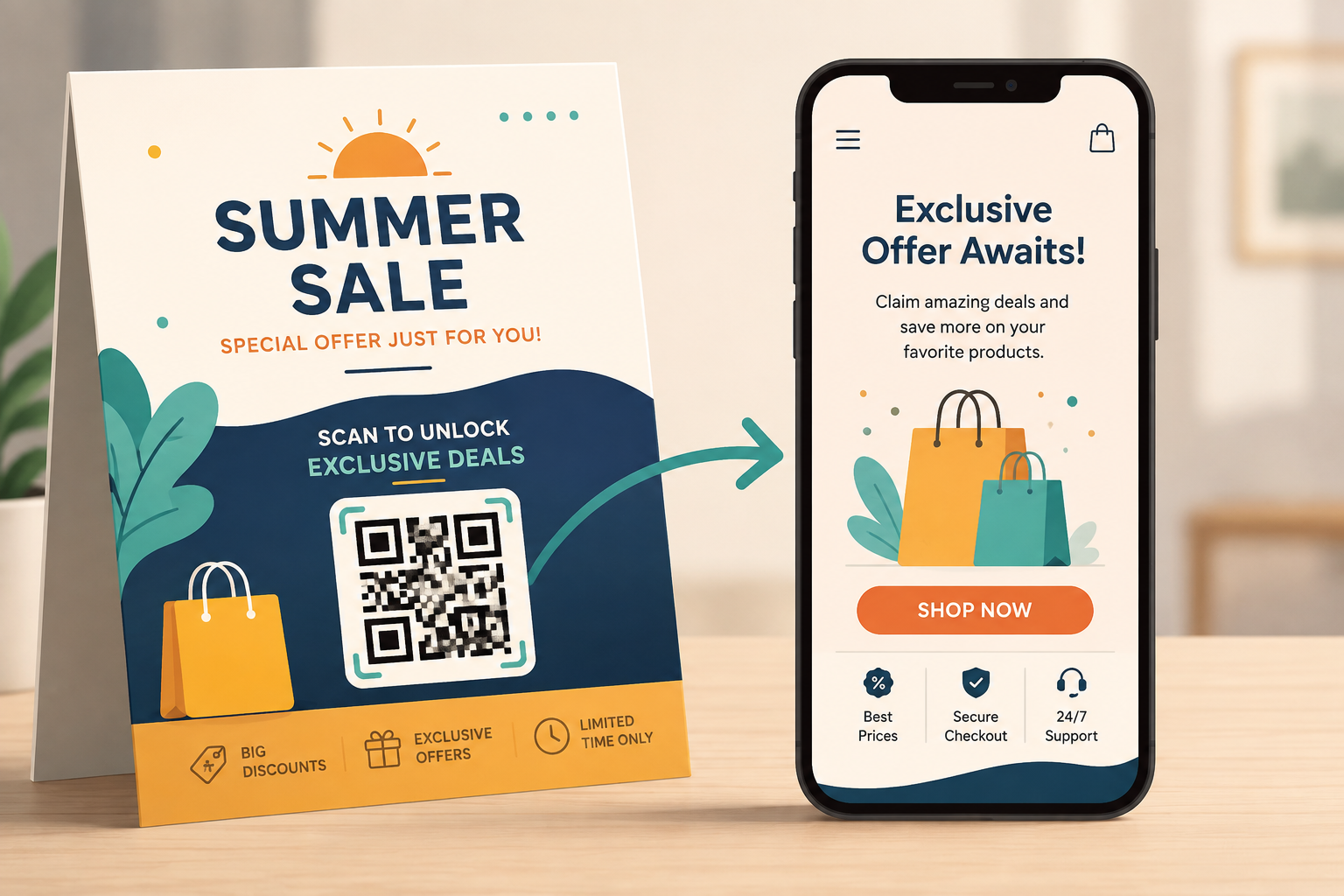
Ask ten marketers this and you'll get close to ten different answers, but two features come up more than the rest: QR codes and landing pages tied directly to the short link.
QR codes matter because they connect offline and online in a way almost nothing else does. A shortened link on a poster, a menu, or a product box turns a passive glance into an active click, and a dynamic QR code means you can update where it points without reprinting a single flyer.
Landing pages tied to the link matter for a different reason. A generic redirect to your homepage forces the visitor to go find what you promised them. A dedicated landing page, built for that specific offer, keeps the promise made in the ad or the post and gets people straight to the point, usually the real difference between a click and an actual conversion.
Neither feature works alone, though. A great landing page behind a slow or broken link still loses people. Engagement tends to come from the whole chain working together: a trustworthy link, a fast redirect, and a page that matches what the click promised.
Compare all 5 Best URL Shorteners for marketing campaigns in 2026
Time for the part you actually came for. We looked at five best link shortener tools that keep coming up in marketing conversations: Trimlink, TinyURL, Bitly, Rebrandly, and Sniply. Each one takes a different approach, so the "best" one genuinely depends on what your campaigns need.
| Feature | Trimlink | TinyURL | Bitly | Rebrandly | Sniply |
|---|---|---|---|---|---|
| Free plan | Yes, 100 links and 1,000 tracked clicks a month | Yes, unlimited basic links, no account needed | Yes, but capped at a handful of links a month | Yes, limited links and clicks a month | Yes, limited trial-style tier |
| Branded domain | 1 free, up to 10 on paid tiers | Not available | Paid tiers only | 1 free, more on paid tiers | Paid tiers only |
| Bulk link import | Up to 10 free, up to 10,000 a month on the top tier | No | Limited, varies by plan | Limited, varies by plan | No |
| QR codes | Unlimited, dynamic, with logo and colour options | Basic static codes | Included on most plans | Included on most plans | Not a core feature |
| UTM tracking | Built in on every plan, unlimited | Not included | Included | Included, with a dedicated builder | No dedicated UTM builder |
| Location data | GPS and IP based, unlimited | Not included | Standard IP based | Standard IP based | Not a focus |
| Signature strength | AI insights and AI-built landing pages | Speed and simplicity, no signup | Brand recognition and API depth | Multi-domain branding, deep linking | CTA overlay on any shared link |
| Team roles | Scales from 1 to unlimited seats by plan | Not available | Seat based, higher tiers only | Yes, on higher tiers | Yes, on higher tiers |
Pricing changes often across all five platforms, so treat the notes below as a starting point and confirm current numbers on each provider's own site.
Trimlink
Trimlink positions itself as an AI powered link management platform rather than a bare-bones shortener. Alongside a standard short URL generator, it packs in dynamic QR codes with logo and colour customization, unlimited custom aliases, GPS location tracking, bot filtering to keep click counts honest, and role based access control so a whole team can work from shared workspaces without stepping on each other. (You'll sometimes see people search for it as "trim URL" or "link trimmer," same tool.)
Two features stand out from the rest of the pack. An AI insights panel answers plain-language questions about your traffic instead of making you dig through a dashboard. And an AI landing page builder can spin up a hosted, lead-capturing page to sit behind your short link, no separate website tool required. A survey and feedback builder is also on the way, currently in early access.
The free plan is genuinely usable, with 100 links and 1,000 tracked clicks a month, and paid tiers scale up from there for teams that need more volume, more branded domains, or a longer analytics history.
TinyURL
TinyURL has been around since 2002, and it still does one thing extremely well: turning a long link into a short one in about two seconds, no account required. Free links don't expire, there's no learning curve, and for a single link you need to drop into a text message or a printed flyer, it's hard to beat for sheer speed.
What it doesn't do is compete on marketing features. There's no team collaboration, no UTM builder, and analytics on the free tier stay basic. A paid Pro plan, around $9.99 a month based on currently published third-party pricing data, adds more active links and some reporting, but marketers running multi-channel campaigns tend to outgrow it quickly.
Bitly
Bitly is the name most people think of first, and that recognition is worth something on its own, since a bit.ly link reads as familiar rather than suspicious to a lot of users. It offers a solid API, QR codes, and a straightforward dashboard, which is why it has stayed popular with developers and marketers alike for years.
The catch heading into 2026 is the free tier, which has been trimmed down to a small handful of links a month, with paid plans that scale up in price fairly quickly as your link volume and team size grow. For a brand that already has Bitly built into its workflow, switching rarely makes sense. For a team starting fresh and comparing options, it's worth lining Bitly's current pricing page up against the alternatives before committing.
Rebrandly
Rebrandly leans hard into branded domains, and it shows. You can connect multiple custom domains, and higher tiers add mobile deep linking, retargeting pixels, and workspace based permissions for agencies juggling several client brands at once. Its UTM builder and analytics are solid for a team that mainly cares about clean, on-brand links across several properties.
Where it gets less generous is the click tracking cap. Even paid plans meter how many tracked clicks you get each month, so a post that suddenly does well can run you into a wall faster than you'd expect.
Sniply
Sniply plays a different game entirely. Instead of just shortening your own links, it lets you attach a call to action, a button, a form, or a banner, onto any page you share, including content you didn't create. Share a good article from another site, and Sniply can slide your own signup form or product link onto the bottom of it.
That makes it a favourite among social media managers who curate a lot of third-party content and want every share to still work a little for their own brand. It integrates with tools like Hootsuite, Mailchimp, and Zapier, and supports A/B testing on the call to action itself. What it isn't built for is deep campaign analytics or UTM style tracking, so most teams use it alongside another shortener rather than as their only link tool.
What features do you look for when choosing a URL shortening service, free or paid?
This is really a budget question wearing a features hat.
Free plans are genuinely useful for testing a tool or handling the occasional link. But they almost always come with limits: a monthly cap on new links, a shorter analytics history, and links that usually sit on the provider's shared domain instead of your own.
Paid plans buy you three things in particular. Higher limits, since a real campaign schedule will blow past a free tier's monthly cap within a week or two. A branded short domain of your own, which free tiers rarely include beyond one basic option. And longer data retention, so you can compare this quarter's performance against last quarter's instead of losing the history.
A useful gut check: are you shortening links, or are you running campaigns? Shortening a handful of links now and then, free is fine. Running campaigns with a schedule, a budget, and a boss who wants a report, a paid plan usually earns its cost back fast in saved time and better data.
How do URL shorteners help in maintaining a clean and organized marketing strategy?
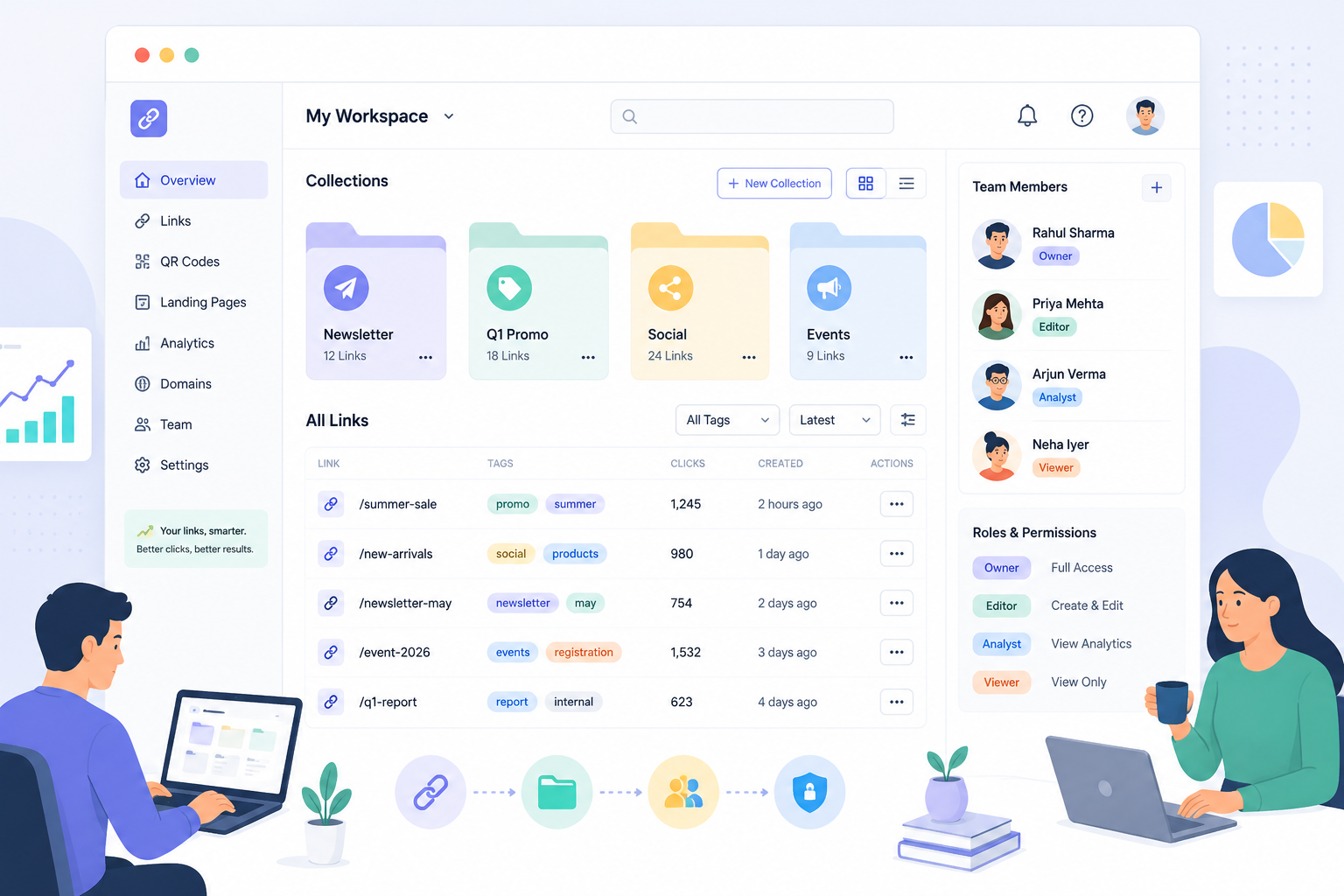
Anyone who has managed more than a handful of campaigns knows the mess that builds up fast. Dozens of links scattered across spreadsheets, half of them unlabeled, nobody quite sure which one went into last month's newsletter.
A decent link management platform solves this with organization tools that sound boring until you actually need them. Tags let you label a link as "Q1 Promo" or "Newsletter" so you can find it again in seconds. Collections group related links into folders, useful when a single campaign spans email, social, and a landing page and you want to see them together. Bulk import saves you from creating a hundred links one at a time when you already have them sitting in a spreadsheet.
Team access adds another layer of order. Instead of five people sharing one login and overwriting each other's changes, role based permissions let you decide who can create links, who can only view reports, and who manages account settings. It sounds like a small thing, but the alternative, a shared login and a "who changed this" message thread, gets old fast.
Which URL shortening service will you choose and trust the most for your marketing efforts?
Trust here comes down to two things: does the tool protect your audience, and does it protect your data.
On the audience side, look for basics like SSL on every link, active bot filtering so your click reports aren't inflated by scrapers and spam traffic, and some form of destination scanning that flags a link if it starts pointing somewhere unsafe. Trimlink, Bitly, and Rebrandly all build in some version of this, and it matters more than people realize, since a shortened link is really just a promise that the destination is safe.
On the data side, check for GDPR and CCPA language, and whether the company is transparent about what it does with click data. A tool that won't tell you where your analytics are stored isn't one you want holding your campaign history.
There's no universal answer to "which one," honestly, because trust is partly about track record with your own team. A tool your marketing department has used without incident for two years has earned a kind of trust that a shinier newcomer hasn't, regardless of feature lists.
Have you ever switched URL shorteners mid-campaign? What prompted the change?
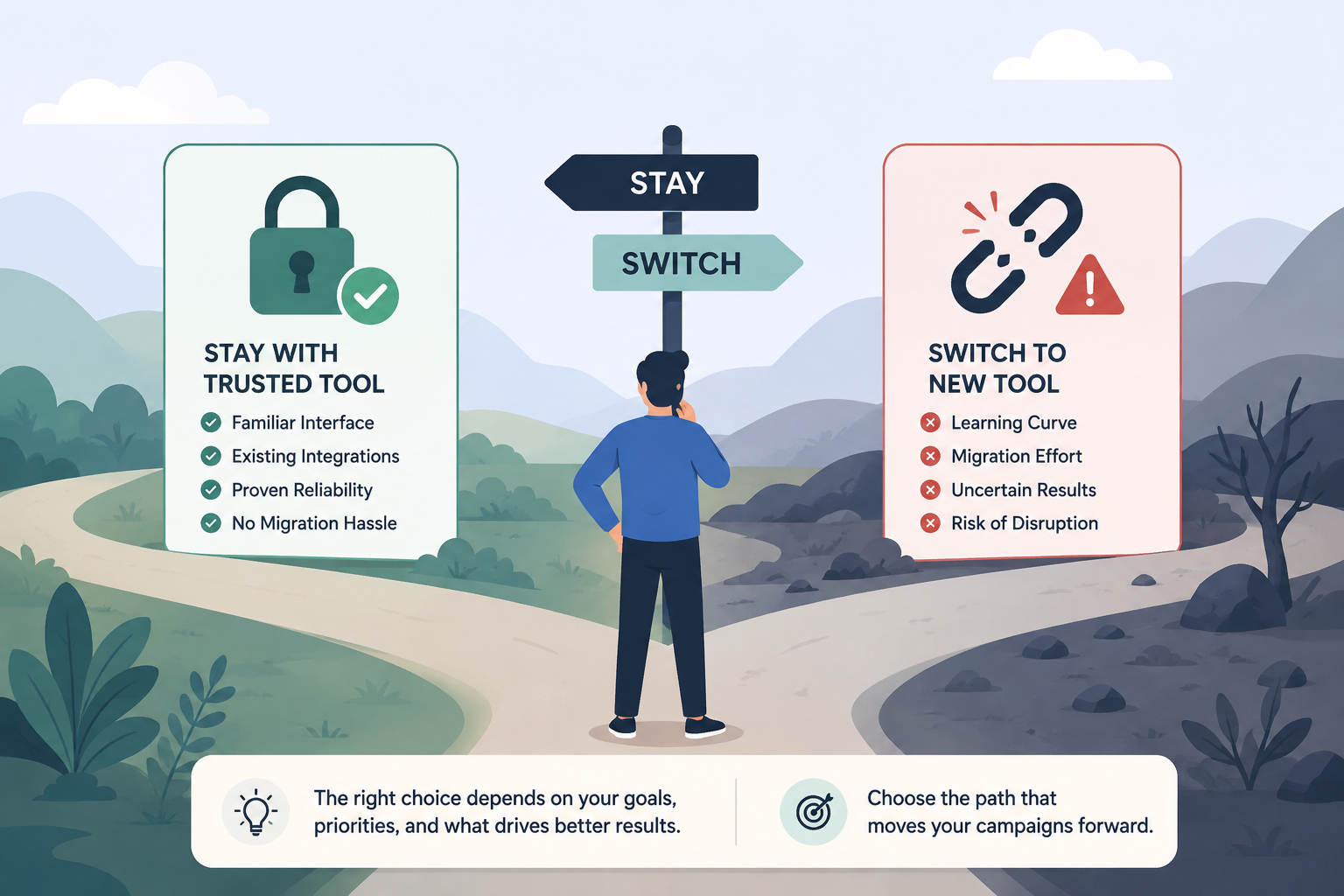
Most marketing teams don't switch tools for fun. Something usually forces the decision, and a few reasons come up constantly when you talk to people who've actually made the jump.
Hitting a hard limit is the most common one. A free or entry plan caps out at a certain number of links or tracked clicks, and a campaign that suddenly goes wider than expected slams into that ceiling mid-flight.
Losing a feature you assumed was included is another. A team builds a workflow around, say, UTM tagging or team permissions, only to discover it sits behind a pricier tier than they budgeted for.
Then there's the quieter reason: support. A broken link during a live campaign, combined with a support queue that takes days to answer, is usually the moment a team starts genuinely shopping around instead of just complaining about it internally.
If any of that sounds familiar, it's worth auditing your current plan before the next campaign, not during it. Check your monthly link count against actual usage, confirm your analytics history goes back far enough for real reporting, and make sure your team size still fits your seat limit.
How do you see the future of URL shorteners evolving in digital marketing?
The category has quietly moved a long way past "make the link shorter." A few directions are already visible.
AI is showing up in two places at once: summarizing analytics into plain language instead of leaving you to interpret a dashboard, and helping generate a landing page or QR code design itself, so the link and the destination get built together instead of as two separate jobs.
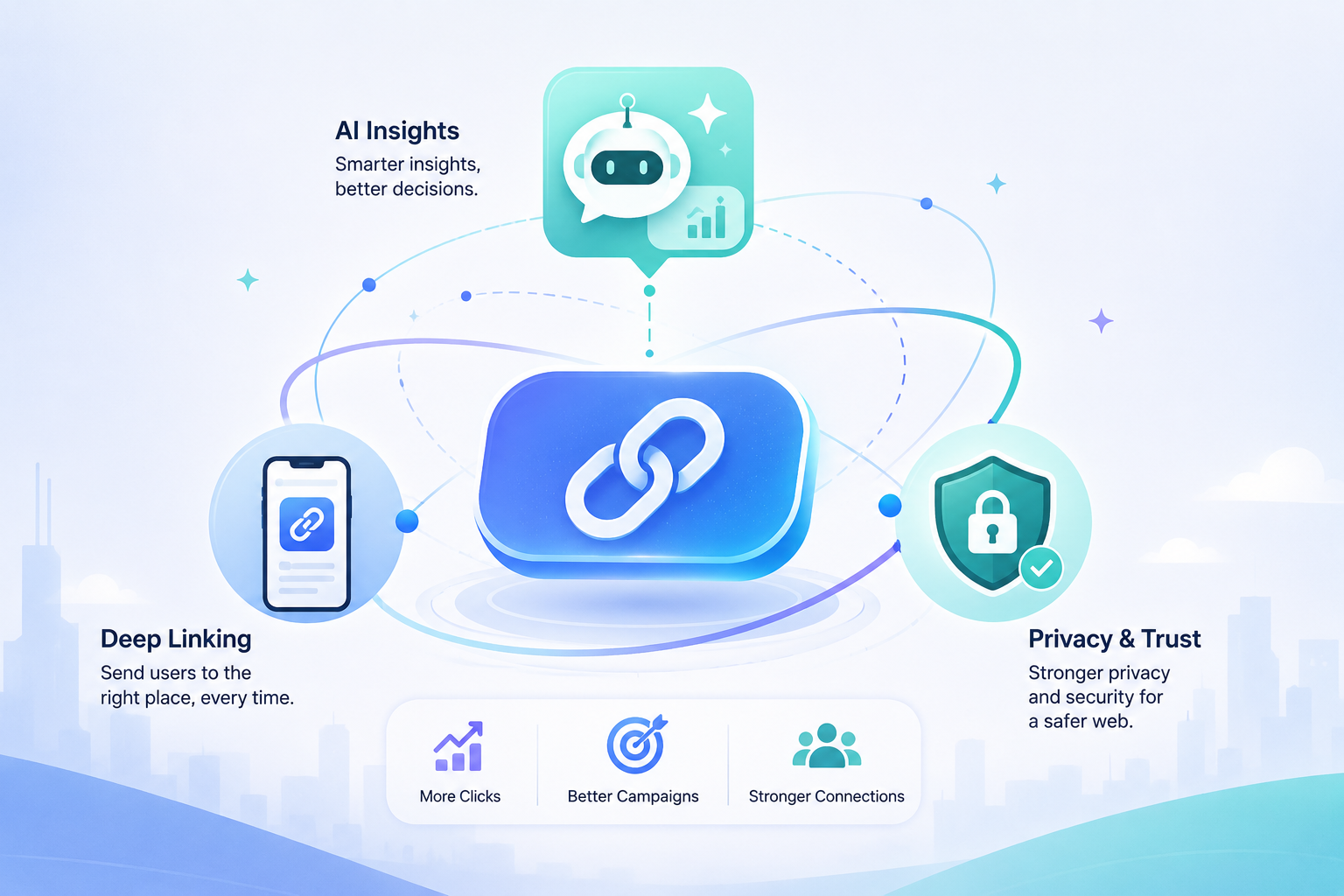
Deep linking is getting more attention too, mostly because so much traffic now moves between a mobile browser and a native app mid-journey. A shortener that can route a user straight into the right screen of an app, not just its homepage, has a real edge as mobile shopping keeps growing.
Privacy rules are reshaping the space as well. As third party cookies fade out and location data collection gets more regulated, tools built around transparent, consent based tracking, like GPS insights that only activate when a visitor actually grants permission, are likely to age better than ones built on quieter data collection.
None of this changes the core job. A link still needs to be short, safe, and trackable. What's changing is everything built around that core, and the tools that keep adding real utility, not just more dashboards, are the ones marketers will still be using in a few years.
Why Trimlink is best URL shortener for marketing campaigns ?
We'll keep this section honest rather than salesy, since you've read this far and deserve a straight answer instead of a pitch.
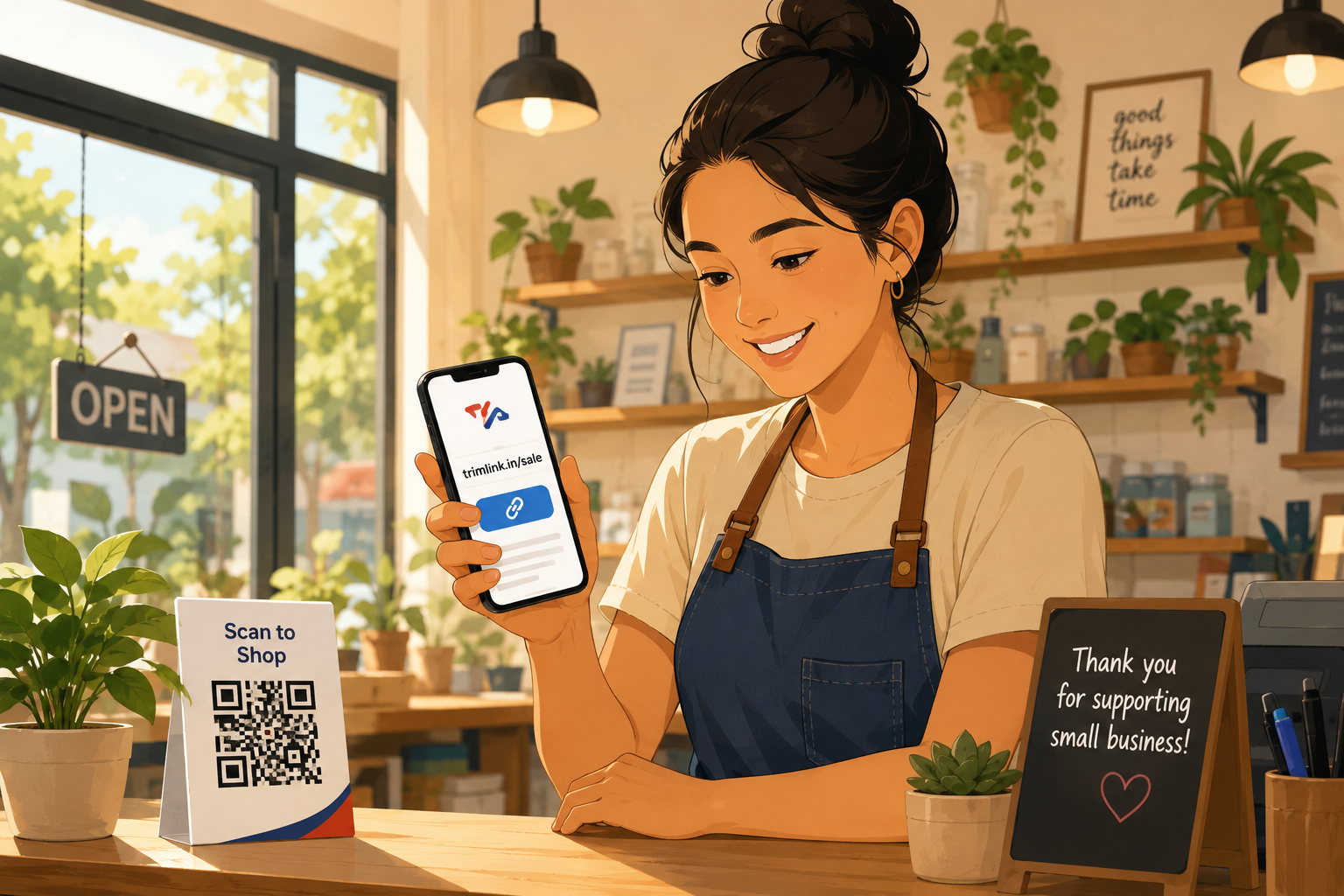
Trimlink's case rests on a few concrete things rather than vague claims. The free plan is one of the more workable ones in this comparison, with 100 links and 1,000 tracked clicks a month, enough to actually run a small campaign rather than just test the waters. Every plan, including free, includes unlimited custom aliases, unlimited QR code generation, and two factor authentication, features plenty of competitors reserve for paid tiers only.
The feature set also covers more of the campaign lifecycle than a typical shortener. UTM tracking, bot filtering, GPS tracking and role based team access come standard, and the AI insights panel means you're not stuck manually digging through a dashboard to understand what happened last week. The AI landing page generator is a genuine differentiator, since it means a campaign page and its short link can be built and published in the same workflow instead of juggling a separate website tool.
None of that makes Trimlink the automatic right answer for every team. If all you need is to shorten a link a month with zero setup, TinyURL is faster. If your team already lives inside Bitly's ecosystem, switching has its own cost. But for a marketer who wants branded links, real time analytics, and a couple of AI-assisted shortcuts without paying enterprise prices, Trimlink is a genuinely strong place to start, and its free tier is generous enough to let you find that out for yourself. Current plan details are on Trimlink's plans page.
Frequently Asked Questions
Are shortened links safe to click, or do they look spammy?
It depends on the source. A shortened links from an established provider with SSL and bot or malware filtering is just as safe as a full length URL. A branded domain link is generally the safest looking option, since people can see your name before they even click. Random, unbranded links from unfamiliar shorteners are the ones that tend to trigger hesitation, especially in messaging apps.
Do shortened URLs affect SEO rankings?
Search engines follow the redirect through to the final page and index that destination, not the short link itself, so using a shortener link in a social post or an email doesn't directly hurt your rankings. What does matter is using a reliable provider, since a shortener that goes down or gets flagged as spammy could break links pointing at your content.
What is the difference between a Link shortener and a QR code generator?
A Link shortener compresses a long web address into a short one you can share as text. A QR code generator turns a link, short or long, into a scannable image. Most modern platforms, Trimlink included, combine both, so the QR code you scan is really just a visual wrapper around a tracked short link underneath.
Can I edit where a short link points after I've already shared it?
On most paid, and several free, platforms, yes. This is usually called a dynamic link, and it means you can update the destination without changing the short link itself. It's especially useful for anything printed, like a QR code on packaging, since you can redirect a seasonal offer without reprinting a single flyer.
Do free URL shorteners expire or stop working after some time?
It depends on the provider. Some, like TinyURL, keep free links active indefinitely. Others tie link activity to an active account or usage tier, so a dormant free account can eventually see older links deactivated. If a link is going on something permanent, like a business card, it's worth checking the provider's specific policy first.
Can I see who clicked my link and from where, or only how many clicks I got?
Most modern shorteners go well beyond a raw click count. Depending on the plan, you can typically see referral source, device type, approximate location from IP data, and on tools with GPS insights, more precise location when a visitor grants permission. Free tiers usually show a shorter history window than paid ones.
Is a branded domain necessary, or is a generic short link good enough for small campaigns?
For a one-off personal link, a generic short link is perfectly fine. For anything tied to a business or a recurring campaign, a branded domain is worth the setup time, since it builds recognition and tends to earn more confident clicks than an anonymous string of characters, especially in email and SMS where trust signals matter most.
Read the Full Comparison
This preview gives you the foundation. The full comparison breaks pricing down tool by tool, adds a dedicated pros and cons list for each platform, and walks through a buying guide that helps you match the right tool to your actual campaign, not just the feature list.
If you want the exact numbers behind each plan before you decide, especially what's genuinely free versus what gets locked behind a paywall, the full comparison is worth a few extra minutes.
Read full blog: What are the best URL shorteners for marketing campaigns